Using Embers
Send an Ask for Info link by text, not just email
Copy your Ask for Info link and send it yourself: a text, a DM, in person. Handy when a contact has no email on file.
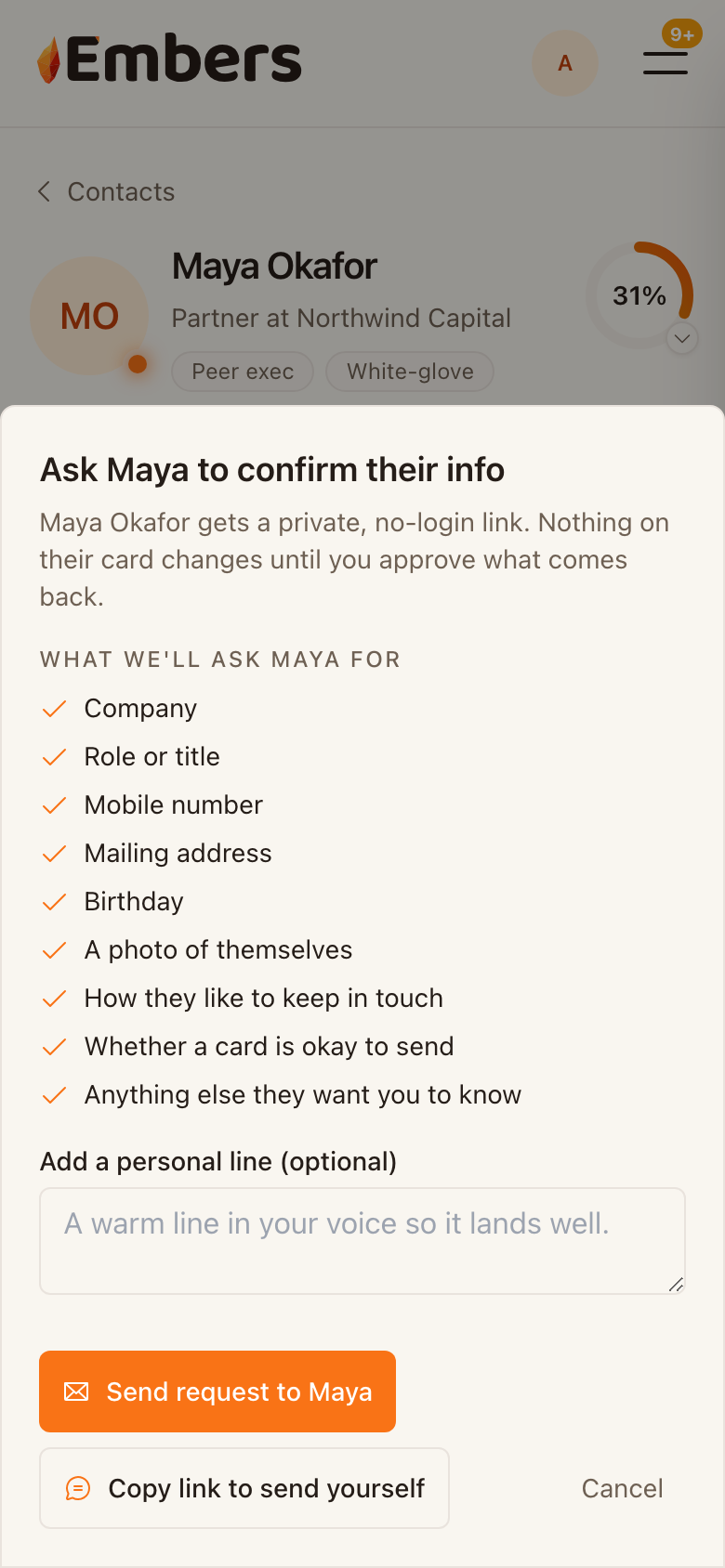 Send an Ask for Info link by text
When you ask a contact to confirm their details, Embers can email them a private, no-login link. Now you can send that link yourself, too.
When to use it
- The contact has no email on file, but you have their number.
- You'd rather reach them where they actually reply: a text or a DM.
- You want the ask to come from your own phone, in your own words.
How it works
- Open the contact and tap Ask for Info.
- Add a personal line if you want one.
- Tap Copy link to send yourself.
- Embers hands you a ready-to-paste message with the link inside. Hit Copy message, or on your phone tap Send as text to drop it into Messages.
- Paste it into a text or DM and send.
The link works for 30 days. When your contact fills it out, it comes back to you to approve, the same as the emailed version. Nothing changes on their card until you say so.
Email still works
The Send request button still emails the link the way it always has. The copy option is just another way to deliver it.